
Digital vehicle inspections
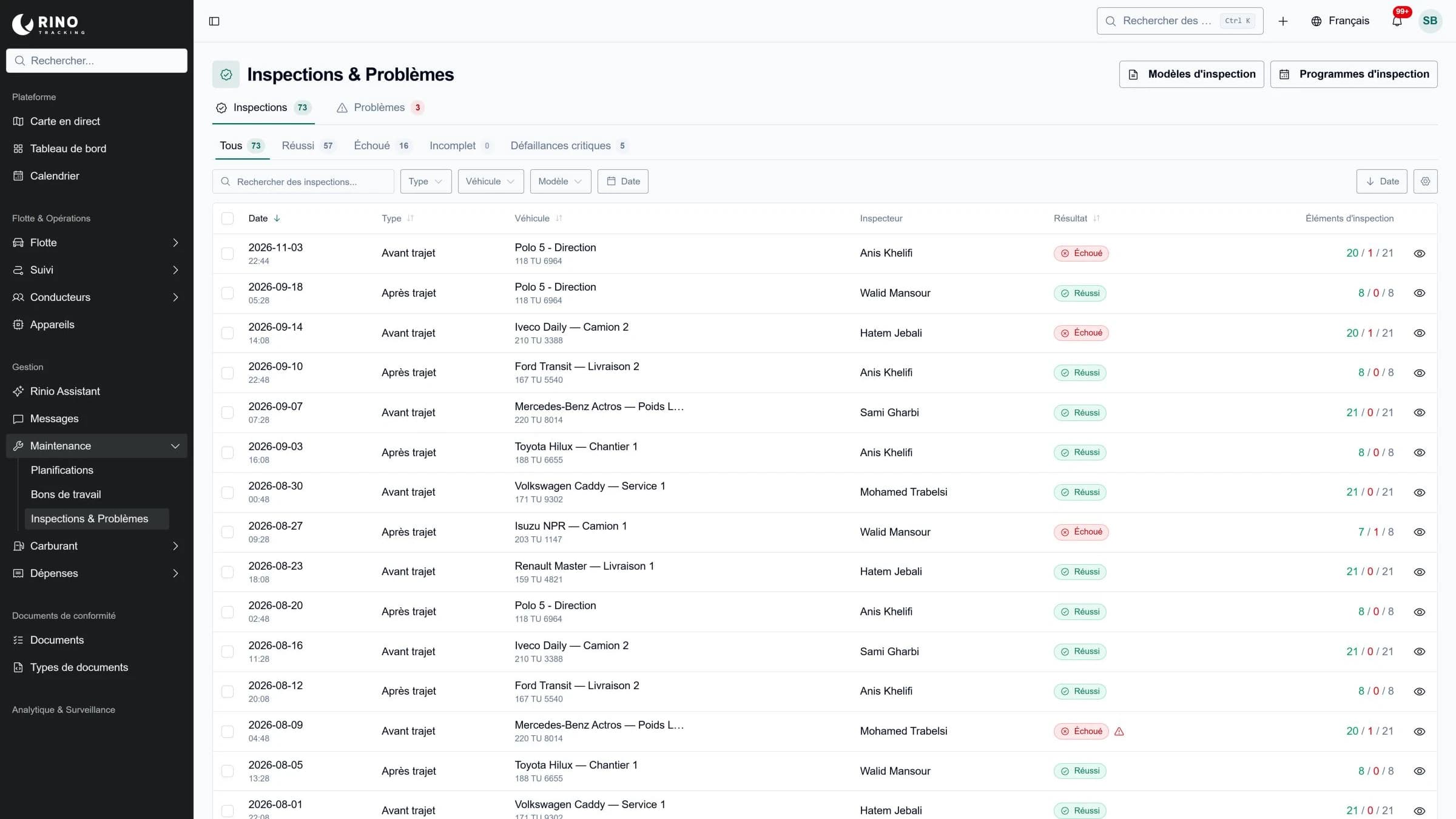
A paper check gets lost and triggers nothing. A digital inspection leaves a record and photos, and creates the job when an item fails.
Build your own checklists
Create inspection templates with your categories and check items, for a pre-trip, post-trip or periodic check.
- Templates with categories and check items
- Pre-trip and post-trip inspections
- Scheduled inspection programmes
The driver inspects from a phone
The inspection runs step by step on mobile. Each item is marked pass or fail, with a photo when there is a defect.
- Step-by-step mobile entry
- Photos of failed items
- Pass or fail result per inspection
A defect becomes a job
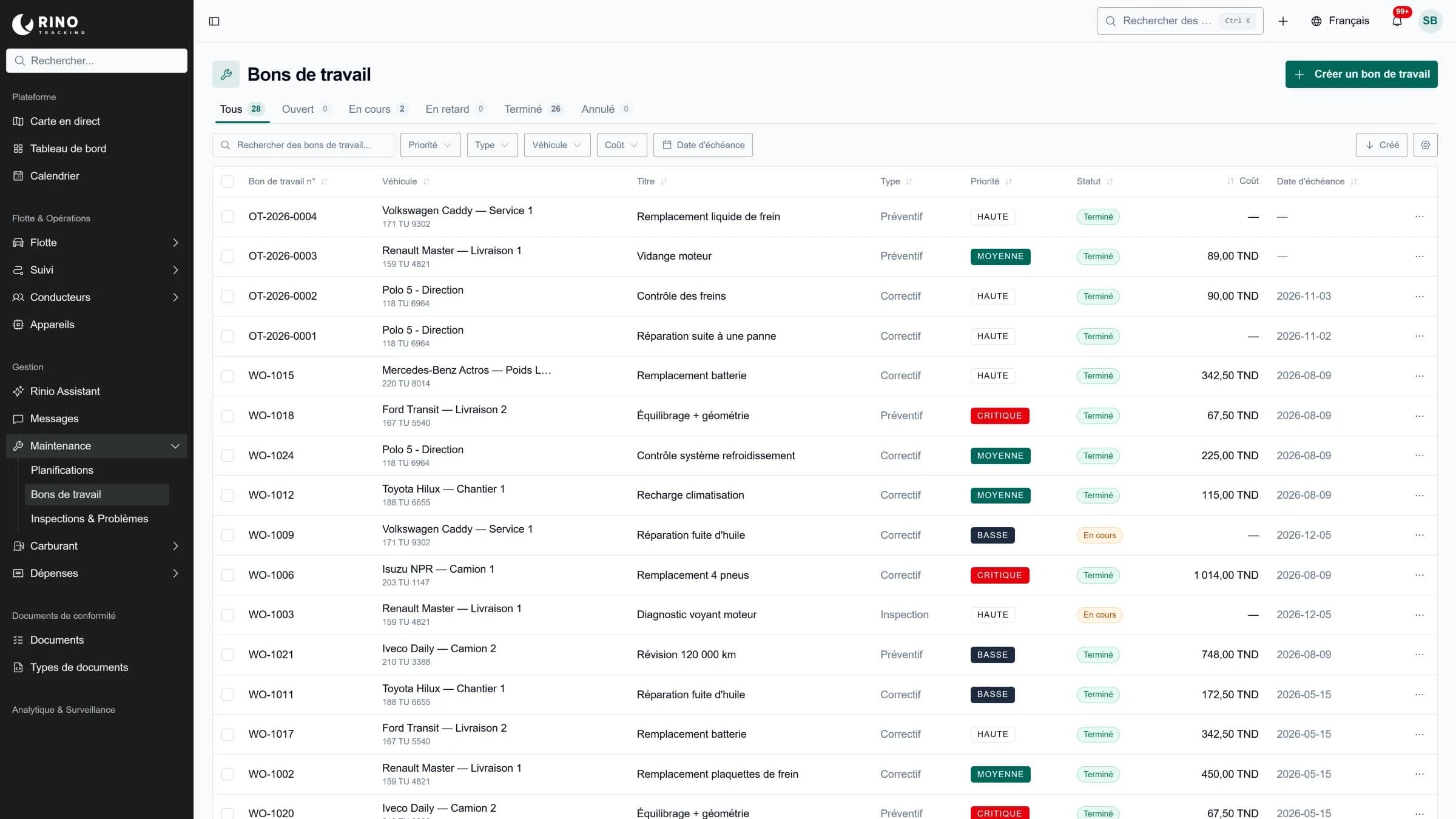
When an inspection fails, a work order is created automatically for the item concerned. Nothing stays in a notebook.
- Work order created automatically
- Failed inspection alert
- Inspection history per vehicle
Driver behaviour
Speeding, harsh events, idling and driver scores.
Learn moreRino One mobile app
Live map, alerts and trips from your phone.
Learn moreGPS tracking
Live positions, trips, geofences and driving alerts.
Learn moreAll features
14 connected modules, from live GPS to maintenance, fuel and costs. One workspace.
Frequently asked questions
Can I create my own inspection templates?
Yes. You define the categories and check items for each template.
What happens when an item fails?
A work order is created automatically, with the photos taken during the inspection.
Are inspections done on mobile?
Yes, step by step, with photos of failed items.
Ready to see it in action?
Start a free 30-day trial with 10 vehicles. No payment required. Full platform access from day one.